To build a drive thru in Restaurant Tycoon 3, buy the Right Expansion in Upgrades, then purchase the 2,000 Cash Drive Thru upgrade. In Build Mode, place an Entrance, Service block, and Exit, then open the lane using the Entrance. This creates a simple setup for serving customers in cars.
Unlock the drive thru and budget for blocks
Open Upgrades and purchase the Right Expansion if you do not already own it. You can then buy the Drive Thru upgrade. Both Truereeses Games’ walkthrough and this Restaurant Tycoon 3 building tutorial show that prerequisite.
The upgrade unlocks functional drive-thru pieces in Build Mode; you still need to purchase and place those pieces. The Restaurant Tycoon 3 Wiki lists the upgrade at 2,000 Cash, with an Entrance costing 70, Service costing 80, and Exit costing 90.
These starter budgets combine the upgrade with the listed blocks:
| Setup | Blocks included | Total Cash |
|---|---|---|
| Minimum setup | Entrance + Service | 2,150 |
| Simple lane with an exit | Entrance + Service + Exit | 2,240 |
| Lane with a separate pickup stop | Entrance + Service + Service Stop + Exit | 2,335 |
These totals exclude the Right Expansion, connecting road pieces, decorations, and workers. Keep some money available after buying the upgrade so you can finish the lane.
Place and open your first lane
Start with a short layout so you can check that it works before rearranging a large part of your restaurant.
-
Make room for the lane. Choose space within your expanded plot and move furniture or building pieces as needed.
-
Open Build Mode and find the drive-thru pieces. These become available after purchasing the upgrade.
-
Place an Entrance. This is where customer cars appear, and it also controls whether the drive thru is open.
-
Place a Service block along the route. Customers stop here for an employee to take their order.
-
Add an Exit. This gives cars a designated place to disappear after moving through the lane.
-
Open the drive thru using the Entrance. Watch a customer arrive before adding more construction.
The Entrance–Service–Exit arrangement is demonstrated in the building tutorial, where customers appear after the drive thru opens.
The wiki identifies Entrance plus Service as the minimum functional setup. The tutorial adds an Exit, so these describe different build sizes rather than conflicting requirements. An Exit is a useful addition for a clearly defined route.
Extend the route and add pickup service
Once the basic lane works, use road pieces to shape it around your restaurant. According to the Restaurant Tycoon 3 Wiki, the available connecting pieces have different prices:
- Straight — 75 Cash: extends the route in a straight line.
- Short Straight — 100 Cash: provides a shorter straight segment.
- Turn — 70 Cash: changes the route’s direction.
A shorter piece costs more than a regular Straight, so compare the space you need with the money you have before buying.
For a separate food collection point, add a Service Stop, priced at 95 Cash. Service and Service Stop have different jobs: Service handles order taking, while Service Stop is where customers receive their food.
Build and test the functional route before spending on walls, windows, roofing, or decoration. The wiki also identifies the Operator as the worker used to automate the drive thru.
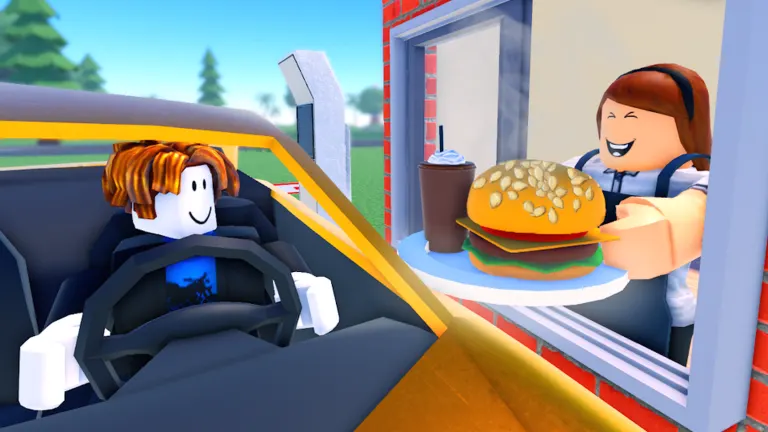
Check these details if it does not work
Start troubleshooting with the basic setup:
- No cars appear: check whether the Entrance has been used to open the drive thru.
- You placed roads but no ordering point: check that the lane includes a Service block.
- You confused the two service pieces: Service takes orders; Service Stop handles food collection.
- Your layout is difficult to follow: simplify it to the tutorial’s Entrance–Service–Exit arrangement and test again.
There is also a historical exception. The Restaurant Tycoon 3 Wiki records that unfinished drive-thru blocks briefly appeared on October 10, 2025. Those pieces were nonfunctional, and players who obtained them could retain them. If your plot contains those early blocks, replace them with functional pieces unlocked through the Drive Thru upgrade.